

Security and permissions
Anything that can print to a terminal can ask it to do things: set the clipboard, read it, post a notification, move the window, reprogram a key, read a file. Ubiquitty names each of those effects as a capability, and checks it where the effect happens rather than where the escape sequence is parsed.
Who drove it
Section titled “Who drove it”Every check asks who sent the bytes: a program you started on this machine (local), an agent (agent), or a remote client such as a phone over QUIC (remote). The answer travels with the bytes through nested sessions, so a remote program cannot pass as local by routing through another layer.
Capabilities fall into tiers. The defaults:
| Tier | Examples | Local | Agent | Remote |
|---|---|---|---|---|
| Informational | Hyperlinks, cursor shape, colours, working directory | Allow | Allow | Allow |
| Host-escaping | Clipboard write, notifications, sound, window moves, key programming, file reads | Allow | Ask | Deny, except clipboard writes and notifications, which ask |
| Read-exfiltration | Clipboard read, screen checksums, title reads | Allow | Ask | Deny |
Queries that programs depend on, such as device attributes, cursor position and terminal size, are always answered, so a full-screen program does not hang on a watched session. Each tier is configurable per origin under [capabilities.local], [capabilities.agent] and [capabilities.remote]. A grant never lifts a configured or default deny.
The Linux, web and BSD console clients install simpler policies: local origins allowed, agent and remote origins refused, and no consent prompt.
Filters
Section titled “Filters”[security] osc_allow and osc_deny admit or refuse whole OSC codes; dcs_allow and dcs_deny do the same for DCS kinds such as Sixel. OSC 52 clipboard reads ask by default and writes are allowed; both are configurable. Multi-line pastes ask for confirmation.
Keyboard and passwords
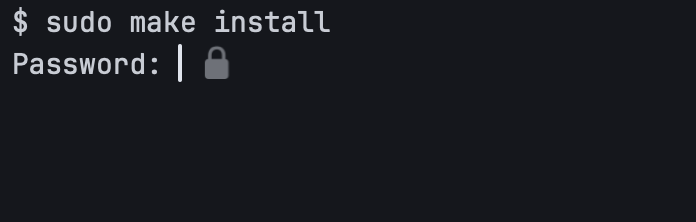
Section titled “Keyboard and passwords”On macOS, Secure Keyboard Entry is on by default, which keeps other apps from reading your keystrokes while Ubiquitty is focused, and it is held while a pane sits at a detected password prompt. At a password prompt the local echo is masked and a lock badge appears. A program can mark a password prompt itself with mode 7401.
The control socket
Section titled “The control socket”The macOS app can serve a local JSON-RPC socket for scripting ([control] enable = true). It is off by default, never synced, owner-only, checks the connecting user’s id on every connection, optionally requires a shared token, and runs typing and reading methods through the agent policy.
Bounded input
Section titled “Bounded input”Untrusted input has limits: frame sizes on the wire, connections to the QUIC listener, management messages, images and rich text blocks all have caps. The host checks requests against the caller’s role and permissions.
Policy installation and consent
Section titled “Policy installation and consent”Some Core effect paths allow an operation when no permission policy is installed. Embedders must install a policy before processing untrusted output. The native frontend and host policies do not make an arbitrary embedding safe by themselves.
A remote OSC 52 clipboard write that needs approval is held as the exact decoded write. Approval delivers that write once; cancellation, expiry or revocation discards it. A later output sequence is not a substitute for the approved bytes.
Opening a remote file asks for Download or Cancel, bound to the selected host, pane and path. The transfer still passes the host’s file-read scope and path checks. macOS quarantines downloaded files before opening them.
Consent controls who can attach to a session. It does not sandbox the commands that run in it.
Reporting a vulnerability
Section titled “Reporting a vulnerability”Report security issues privately, as described in the repository’s security policy, not in a public issue.
Ubiquitty and this site are copyright © 2026 Stanislav Yaglo. Ubiquitty is licensed under the Apache License 2.0.
Apple, iPad, iPadOS, iPhone, Keychain, Mac, macOS, Metal, Swift and Xcode are trademarks of Apple Inc., registered in the U.S. and other countries and regions.